The note shortcode is used for inserting a (markdown) text section which visually
stands off to the rest of the document.
A use case is to warn or inform the reader on something.
syntax:
{{< note <type> >}}
some markdown content...
{{< /note >}}
The type parameter is optional. Supported types:
info
,
warning
,
success
,
error
,
do
,
dont
,
learn
,
tip
,
pro
,
contra
,
download
,
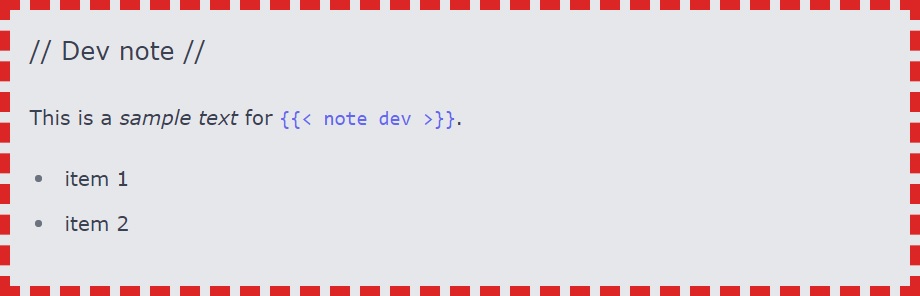
dev
Examples
without type
This is a sample text for {{< note >}}.
- item 1
- item 2
info
This is a sample text for {{< note info >}}.
- item 1
- item 2
warning
This is a sample text for {{< note warning >}}.
- item 1
- item 2
success
This is a sample text for {{< note success >}}.
- item 1
- item 2
error
This is a sample text for {{< note error >}}.
- item 1
- item 2
do
This is a sample text for {{< note do >}}.
- item 1
- item 2
dont
This is a sample text for {{< note dont >}}.
- item 1
- item 2
learn
This is a sample text for {{< note learn >}}.
- item 1
- item 2
tip
This is a sample text for {{< note tip >}}.
- item 1
- item 2
pro
This is a sample text for {{< note pro >}}.
- item 1
- item 2
contra
This is a sample text for {{< note contra >}}.
- item 1
- item 2
download
This is a sample text for {{< note download >}}.
- item 1
- item 2
dev
This type is useful for adding development notes (e.g. listing some todo’s).
Notes of this type are only rendered in development mode (environment=development).